Templates
Before/after post templates
Built for specific channels and industries. You pick where you're posting — Brago picks the right format, tone, and information density.
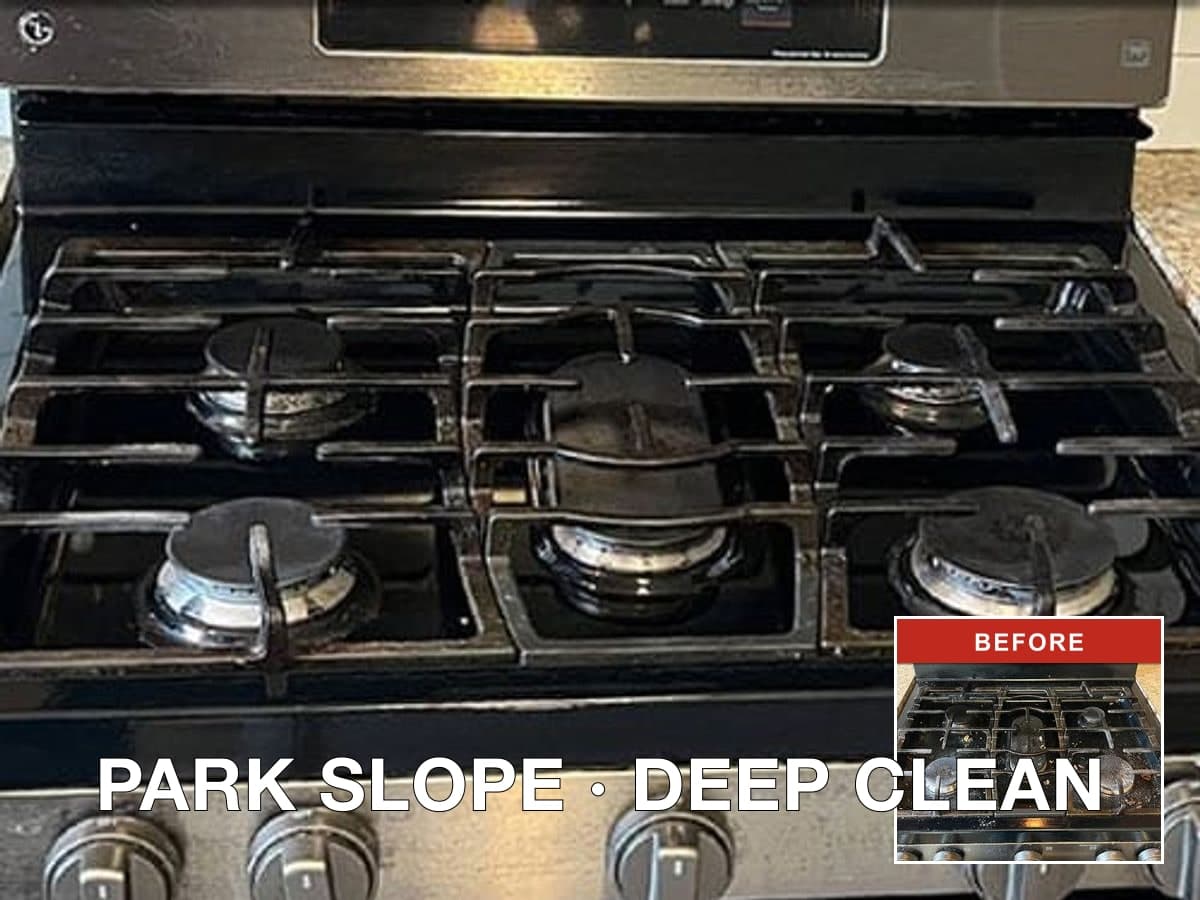
Template output
Google Business Profile · 1080 × 1080
How Brago templates work
You don't browse and pick a template. You answer two questions — where are you posting, and how many before/after areas — and Brago selects the right one automatically. Every template outputs a 1080 × 1080 PNG ready to post.
- 1
Pick the channel
Google, Facebook/Nextdoor, or Instagram.
- 2
Brago picks the layout
Based on photo count and information density.
- 3
Download the PNG
1080 × 1080, ready to post — no editing needed.
By channel
Facebook / Nextdoor
Coming soonCommunity-sharing posts that feel like a genuine job update, not an ad. Great for local neighborhood reach and word-of-mouth.
Instagram Feed
Coming soonPortfolio-style posts that let the before/after photo do the talking. Minimal contact info, visual-first layout.
By industry
Each industry has its own set of templates with industry-appropriate scenes and examples.
Start with your next finished job
Upload before/after photos and get a post ready for Google Business Profile, Facebook, Nextdoor, or Instagram in under 60 seconds.
Create your first post